Happy with GISNET internet? Invite your neighbors, relatives, or friends to subscribe, and earn a bonus for every friend who successfully subscribes. You can do it all from your phone through the Ajak Teman (Refer a Friend) menu in the Customer Portal.
The images in this article use a sample customer account. The latest bonus amount and terms are always listed on the Refer a Friend page in your portal.
Step 1: Open the Refer a Friend Menu
Log in to my.gis.net.id, then on the Home screen tap the Ajak Teman (Refer a Friend) button in the quick menu row.
Step 2: Share Your Code or Link
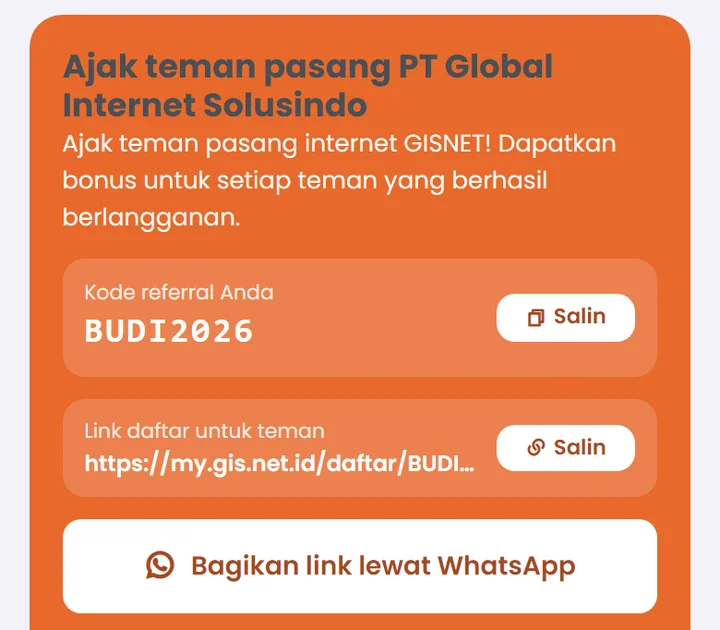
Every customer has a personal referral code and sign-up link. There are three ways to share them:
- Tap Bagikan link lewat WhatsApp (Share link via WhatsApp). An invitation message with your link and code is ready to send right away.
- Tap Salin (Copy) on the sign-up link, then paste it into a WhatsApp group or on social media.
- Or simply tell your friend your referral code.
Step 3: Your Friend Signs Up
Your friend just needs to open the link and fill in the registration form, or mention your code when signing up with the GISNET team. Our team will then contact your friend for a site survey and installation.
Make sure your friend's address is within our service area. Check it on the coverage area page.
Step 4: Your Bonus Is Calculated and Paid Out
- A referral counts as successful once your friend pays their first bill.
- You can track progress in the Teman yang Anda Ajak (Friends You Referred) section, including the total bonus received.
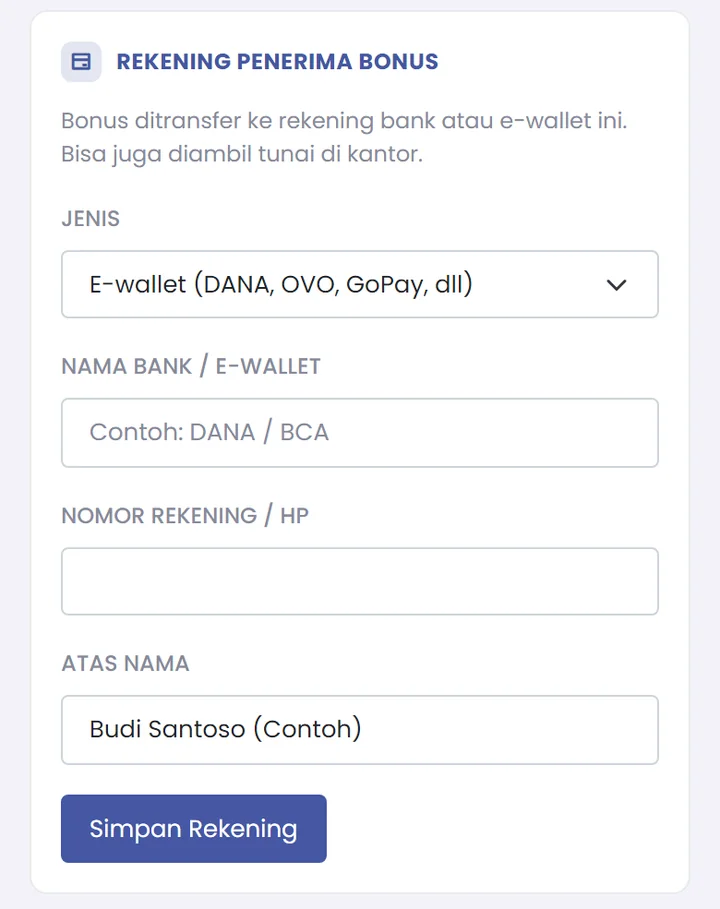
- After verification by the GISNET team, the bonus is paid by bank transfer, e-wallet (DANA, OVO, GoPay, and others), or collected in cash at our office.
For a smooth payout, fill in the Rekening Penerima Bonus (Bonus Payout Account) section, then tap Simpan Rekening (Save Account).
Important Terms
- Each new customer can only be credited to one referrer.
- The code cannot be used to sign yourself up.
- Did your friend forget to mention the code when signing up? Contact our admin right away via WhatsApp at 0857-0629-9235 so we can help record it.
- The bonus amount and full terms follow the latest information on the Refer a Friend page in the portal.
Why Will Your Friends Be Happy?
It's not just about your bonus. Your friends also get fiber internet that is unlimited with no FUP, with upload as fast as download, flat pricing, equipment provided on loan, and full IPv6, backed by a local team in Gresik that's ready to help. Home plans start from Rp165,000/month. See our plans to share with your friends.